

בחירת מסך מחשב בתקציב – מדריך מקיף
בעידן הטכנולוגיה המתקדמת בה חיים בימינו, רבים מאיתנו מבינים את החשיבות של מסך מחשב איכותי ומתקדם. המסך הוא הממשק החשוב ביותר בין המשתמש למחשב, ולכן חשוב לבחור בו בקפידה. אולם, לא תמיד התקציב מאפשר לרכוש את המסך הכי טוב והכי יקר בשוק. לכן, במאמר זה נספק לכם מדריך שלם על בחירת מסך מחשב בתקציב, כדי שתוכלו לקבל את האיכות והתכונות החשובות ביותר, במחיר שאתם יכולים לשלם. אז התחילו לקרוא ותגלו איך לבחור את המסך המתאים ביותר עבורכם!
גודל המסך:
החשיבות של גודל המסך אינה ניתנת להתעלמות. עליכם לקבוע מראש איזו גודל מסך תרצו, תלוי בצרכים שלכם ובמרחק בו תשבו ממנו. אם אתם תוהים איזו גודל מסך מתאימה לכם, נסו לחשוב על כמה אתם משתמשים בו ובאילו תכונות מעוניינים לקבל. אם אתם משתמשים בו עבור צפייה בסרטים או משחקים, תשובתכם יכולה להיות מסך גדול יותר, כדי ליהנות מחווית צפייה מרהיבה יותר. אם אתם משתמשים בו בעיקר לעבודה משרדית, מסך בגודל בינוני יספק את הדרישות הבסיסיות. כמו כן, אם המסך גדול מדיי, זו גם יכולה להיות בעיה כשמטרת השימוש במסך היא לצורך עבודה משרדית.
רזולוציה:
ברזולוציה היא הכמות המדויקת של הפיקסלים במסך. רזולוציה גבוהה מספקת תמונה ברורה ומדויקת יותר, בעוד רזולוציה נמוכה יכולה לתת תמונה פחות איכותית. בהחלט מומלץ לבחור במסך המציג רזולוציה מינימלית של 1080p (Full HD). אם עליכם לעבוד עם תוכנות מתקדמות, לצפות בסרטים באיכות גבוהה, או לשחק משחקים מתקדמים, מומלץ לחפש מסך עם רזולוציה עודפת, כמו 2K או 4K.
מהירות תגובה:
מהירות התגובה של המסך חשובה מאוד במסגרת משחקים או צפייה בסרטים מהירים. זו הזמן שנדרש לפיקסל לשנות את גווניו, ומספר המילי-שניות מופיע במפרט הטכני של המסך. ככל שהמספר נמוך יותר, כך התגובה יותר מהירה. למשל, ערך של 1ms מומלץ עבור מסך המיועד למשחקים או צפייה בסרטים מהירים.
תכונות נוספות:
תכונה נוספת שחשוב לשקול במסך מחשב היא היציאות הקיימות בו. היציאות השונות יכולות להשפיע על יכולות התקשורת והחיבור של המסך עם מכשירים נוספים וביצועי התצוגה שלו.
אחת היציאות הנפוצות ביותר היא יציאת HDMI. יציאת HDMI מאפשרת העברת תמונה וצליל באיכות גבוהה ממחשב למסך, טלוויזיה או מסך נוסף. יתרון נוסף של יציאת HDMI הוא התמיכה ברזולוציות גבוהות, כולל 4K ואף 8K במקרים מסוימים, מה שמאפשר צפייה באיכות תמונה מדהימה.
בנוסף, יציאת DisplayPort היא תקן נפוץ במסכים מתקדמים. יציאת DisplayPort מספקת יכולות תצוגה גבוהות ותמיכה ברזולוציות גבוהות, בנוסף לתמיכה בתקנים חדשים כמו FreeSync ו-G-Sync, שמשפרים את חוויית המשחקים והתמונה במסך.
מחירי מסך מחשב ירדו בשנים האחרונות
מחירי מסכי מחשב מתחילים מ400 שקל ויכולים להגיע עד 15,000 שקל. בתחום המסכים בגודל של 23.8 אינץ', המחירים נהיים זמינים ונגישים יותר מאי פעם. עם התפתחות טכנולוגית והתחרות בין יצרנים, ניתן למצוא מגוון רחב של מסכים במחירים סבירים שנמצאים מתחת ל-1000 ש"ח. זהו שיפור משמעותי בהשוואה לשנים קודמות, כאשר המחירים היו יקרים יותר ופחות זמינים לכיס הממוצע. כיום, אפשר למצוא מסכים בגודל 23.8 אינץ' באיכות גבוהה ועם תכונות מתקדמות, במחירים שסביר לצפות לשלם. זהו הזמן המושלם לשדרג את המסך שלכם בתקציב נוח וליהנות מחוויית צפייה משופרת.
וכך, אנחנו מגיעים לסיום המדריך לבחירת מסך מחשב תקציבי. עם המידע והטיפים שקיבלתם כאן, אתם מוכנים לקנות את המסך המושלם עבורכם. אז למה לחכות? אנו ממליץ לכם לבדוק את מבחר המסכים המעולים בחנות המקוונת של KSP. שם תוכלו למצוא את המסך המתאים לצרכים שלכם ולרכוש אותו במחיר משתלם. נצא לדרך של הרכישה החכמה וליהנות מחוויית צפייה מדהימה על מסך המחשב החדש שלכם!
9 מסכים ענקיים בגודל של 23.8 אינץ' בתקציב עד 1000 שקל:
9 מסכים ענקיים בגודל של 23.8 אינץ' בתקציב עד 500 שקל:

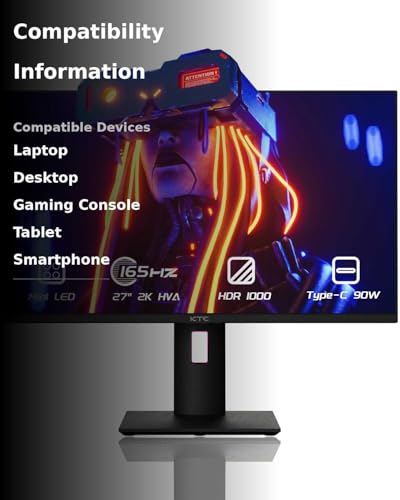
KTC 27 Inch Mini LED Monitor, 1440P 165Hz/144Hz Gaming Monitor, HDR1000, Built-in...
- [1440P 165Hz Mini LED Monitor] 27 inch HVA panel features MiniLED backlight technology (576 zones full-array local dimming), lets video games be seen in their best light. 2K QHD 2560x1440P, 165Hz(144Hz support), 1ms(MPRT), and G-Sync & FreeSync compatible on it, H27T20 will be the first choice for enthusiasts and professional gamers.
- [1440P 165Hz Mini LED Monitor] 27 inch HVA panel features MiniLED backlight technology (576 zones full-array local dimming), lets video games be seen in their best light. 2K QHD 2560x1440P, 165Hz(144Hz support), 1ms(MPRT), and G-Sync & FreeSync compatible on it, H27T20 will be the first choice for enthusiasts and professional gamers.
- [HDR1000 & Quantum Dot Technology] From gloomy shadows to sun-scorched scenes, 1000nits(HDR) brightness, 99% sRGB, 99% Adobe RGB, 1000000:1(HDR) contrast ratio, DeltaE
- [KVM Switch & Built-in Speakers] KVM switch makes it easily working with desktop PCs & gaming consoles. Built-in dual stereo speakers deliver loud and immersive 360-degree sound with deep and accurate bass. Flicker-free backlighting and blue light filter minimize eye fatigue.
- [Type C 90W - Robust Connectivity] There are USB Type C 90W support reverse charging and supports 4K high-definition image quality output, displayPort 1.4, 2*HDMI 2.0, 3*USB 3.0 interfaces fuel your gaming and working, which can easily connect to external devices such as PC, laptop, tablets, Phones, PS5.
- [Quick-Release Stand & 360° Adjustment] Ergonomically design helps find your gaming comfort. Height 130mm, forward 5°, backward: 20°, left/right ±45°, and pivot: ±90° provide all-round perfect viewing angles. Quick-release stand makes desk and wall mount easier to change, vesa 100×100mm is supported on this 1440P 144Hz monitor.
- Mounting type: Desk Mount
- Voltage: 24.0 volts_of_direct_current

SAMSUNG UJ59 Series 32-Inch 4K UHD (3840x2160) Computer Monitor, HDMI, Display Port,...
- WIDESCREEN UHD: With 4x the pixels of Full HD, get more screen space (vs 16:9 screen) and UHD images; View documents & webpages w/ less scrolling, work more comfortably w/ multiple windows & toolbars, and enjoy photos, videos & games in stunning 4K
- WIDESCREEN UHD: With 4x the pixels of Full HD, get more screen space (vs 16:9 screen) and UHD images; View documents & webpages w/ less scrolling, work more comfortably w/ multiple windows & toolbars, and enjoy photos, videos & games in stunning 4K
- A BILLION COLOR SHADES: Supporting a billion shades of color, the UJ59 delivers incredibly vivid and realistic images; Its color accuracy means colors appear true to life, making the UJ59 ideal for photo, video and graphics applications
- SEAMLESS UPSCALING: Samsung’s UHD upscaling technology includes signal analysis and detail enhancement that seamlessly upconverts SD, HD and Full HD content to near UHD-level picture quality
- WIDESCREEN 4K GAMING: With 8.3 million pixels supporting a wide range of colors and resolving every image with astonishing clarity, UHD gives you a wider view for a truly thrilling and immersive gaming experience
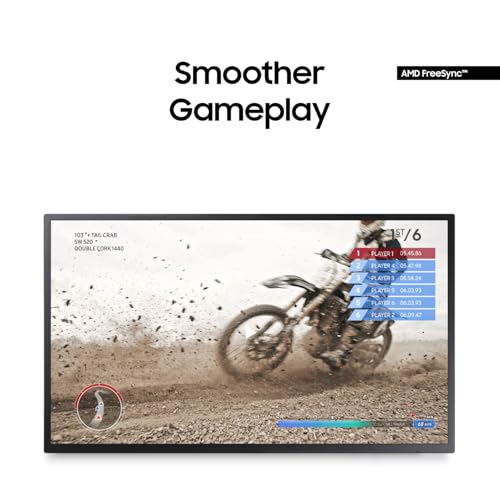
- SMOOTHER GAMEPLAY: AMD FreeSync synchronizes the refresh rate of your graphics card & monitor to reduce image tear & stutter; Low Input Lag Mode minimizes the delay between mouse, keyboard or joystick input and onscreen response for smooth gaming
- GAME MODE: Game Mode instantly optimizes screen contrast to give you a competitive edge during gameplay; By selectively boosting contrast in scenes, Game Mode reveals more detail in dark areas to let you spot your enemies faster
- POWERFUL MULTITASKING: Picture-by-Picture (PBP) lets you connect to 2 devices to the monitor and maintain their original quality; With Picture-in-Picture (PIP) you can resize the second source to up to 25% of the screen and position it anywhere
- SLIM BEZELS: Framed by slim screen bezels and finished in stylish matte black, the UJ59 sits elegantly on virtually any desktop; And its Y-shaped stand provides a firm footing and a refined metallic touch




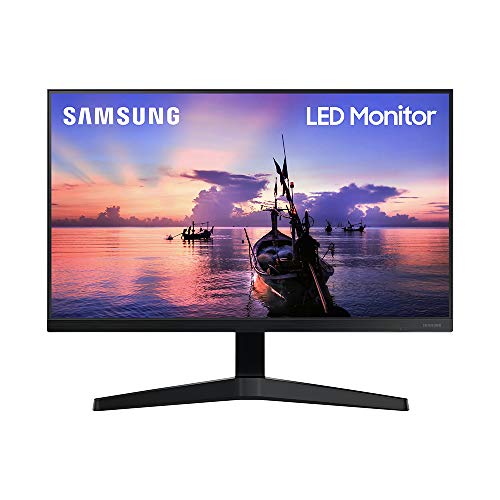
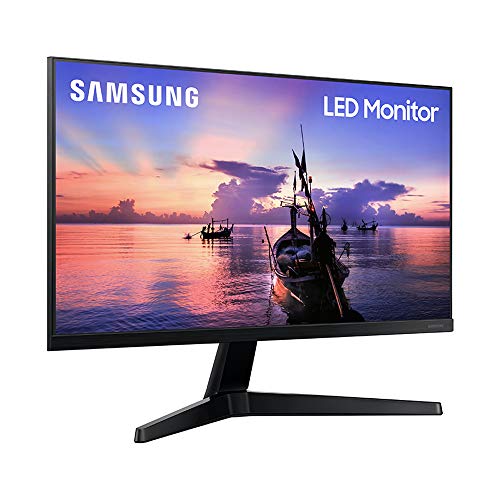
SAMSUNG T350 Series 22-Inch FHD 1080p Computer Monitor, 75Hz, IPS Panel, HDMI,...
- ALL-EXPANSIVE VIEW: The 3-sided borderless display brings a clean and modern aesthetic to any working environment. In a multi-monitor setup, the displays line up seamlessly for a virtually gapless view without distractions.Aspect ratio:16:9.Response time:5.0 milliseconds.Specific uses for product - Gaming
- ALL-EXPANSIVE VIEW: The 3-sided borderless display brings a clean and modern aesthetic to any working environment. In a multi-monitor setup, the displays line up seamlessly for a virtually gapless view without distractions.Aspect ratio:16:9.Response time:5.0 milliseconds.Specific uses for product - Gaming
- IPS PANEL: Sit anywhere and have a full technicolor experience. The IPS panel preserves color vividness and clarity across every inch of the screen. Even on a display this wide, tones and shades look completely accurate from virtually any angle, with no color washing
- SYNCHRONIZED ACTION: Superfluid entertainment experience. AMD Radeon FreeSync keeps your monitor and graphics card refresh rate in sync to reduce image tearing. Watch movies and play games without any interruptions. Even fast scenes look seamless and smooth
- SEAMLESS, SMOOTH VISUALS: Now, the picture looks flawless. The 75Hz refresh rate delivers more fluid scenes. Whether you're catching up on your favorite TV drama, watching a video, or playing a game, your entertainment has no lag or ghosting effect
- MORE GAMING POWER: Ideal game settings instantly give you the edge. Get optimal color and image contrast to see scenes more vividly and spot enemies hiding in the dark. Game Mode adjusts any game to fill your screen with every detail in view






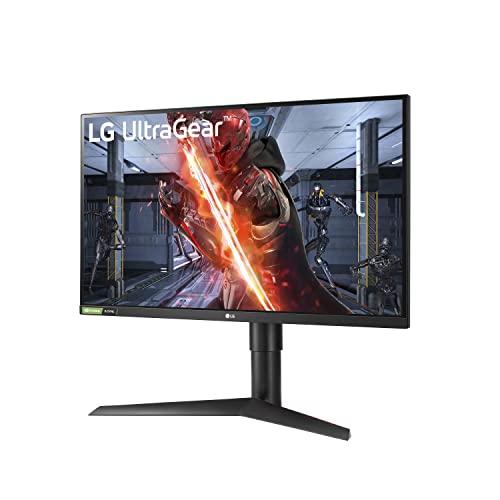
LG UltraGear QHD 27-Inch Gaming Monitor 27GL83A-B - IPS 1ms (GtG), with...
- Feel Actual Combat with Vivid Colors - IPS display with up to 99% of the sRGB provides outstanding color accuracy and wider viewing angle, so it delivers high-fidelity color for reproducing even more vivid scenes on the battlefield.
- Feel Actual Combat with Vivid Colors - IPS display with up to 99% of the sRGB provides outstanding color accuracy and wider viewing angle, so it delivers high-fidelity color for reproducing even more vivid scenes on the battlefield.
- See Detail in the Darkness with Black Stabilizer - You're gameplay is never in the dark. Black Stabilizer is your ally to attack or defend against enemies hiding in the shadows. It delivers a pro-level gaming experience for enhanced vision and the first-mover advantage.
- Innovation Beyond Boundaries - See your way to victory with the innovative 27GL83A UltraGear gaming monitor, providing the most crisp visuals and the sharpest clarity. You can experience breath-taking immersion on an IPS display with a 1ms response time.
- Design for Incredible Speed - With IPS 1ms comparable to TN Speed, providing the minimized afterimage and a fast response time, let's you enjoy a whole new gaming performance.
- G-Sync Compatible Certified by NVIDIA - LG 27GL83A Monitor is a NVIDIA-tested and officially verified G-Sync Compatible monitor, eliminating screen tearing and minimizing stutter for a smoother, faster gaming experience.
- Clearer, Smoother and Faster - With FreeSync Premium technology, gamers can experience seamless, fluid movement in hi-resolution and fast-paced games. It virtually eliminates screen tearing and stuttering.
- Immersive Gaming Ambiance - It’s 3-side virtually borderless design and the base can be adjusted to change the tilt, height and pivot of the monitor to help you play game more comfortable.


עוד לא קניתם מסך מחשב? | המדריך המלא לקניית מסך מחשב
מחפשים מסך מחשב גיימינג ? או בעצם כל מסך מחשב? בסרטון הזה אני הולך להסביר לכם איך למצוא את מסך המחשב הבא שלכם. אנחנו נדבר על זמן ...
איזה מסך מחשב לקנות? (בחירת רזולוציה)
בואו ננסה להבין איזה מסך מחשב מתאים לנו?